Automate Sales Commission Calculations For Google Sheets
Already tracking deals or bonuses in a Google Sheet? Stop copying numbers into a commission spreadsheet every payout cycle.
Sales Cookie reads any published Google Sheet you set up and calculates commissions automatically - accurately and on time.
Spreadsheets Weren't Built To Calculate Sales Commissions
Percentage of payouts later identified as overpayments
Administration time spent per month on repetitive tasks
Representatives using shadow accounting to verify payouts
Commission Automation For Google Sheets
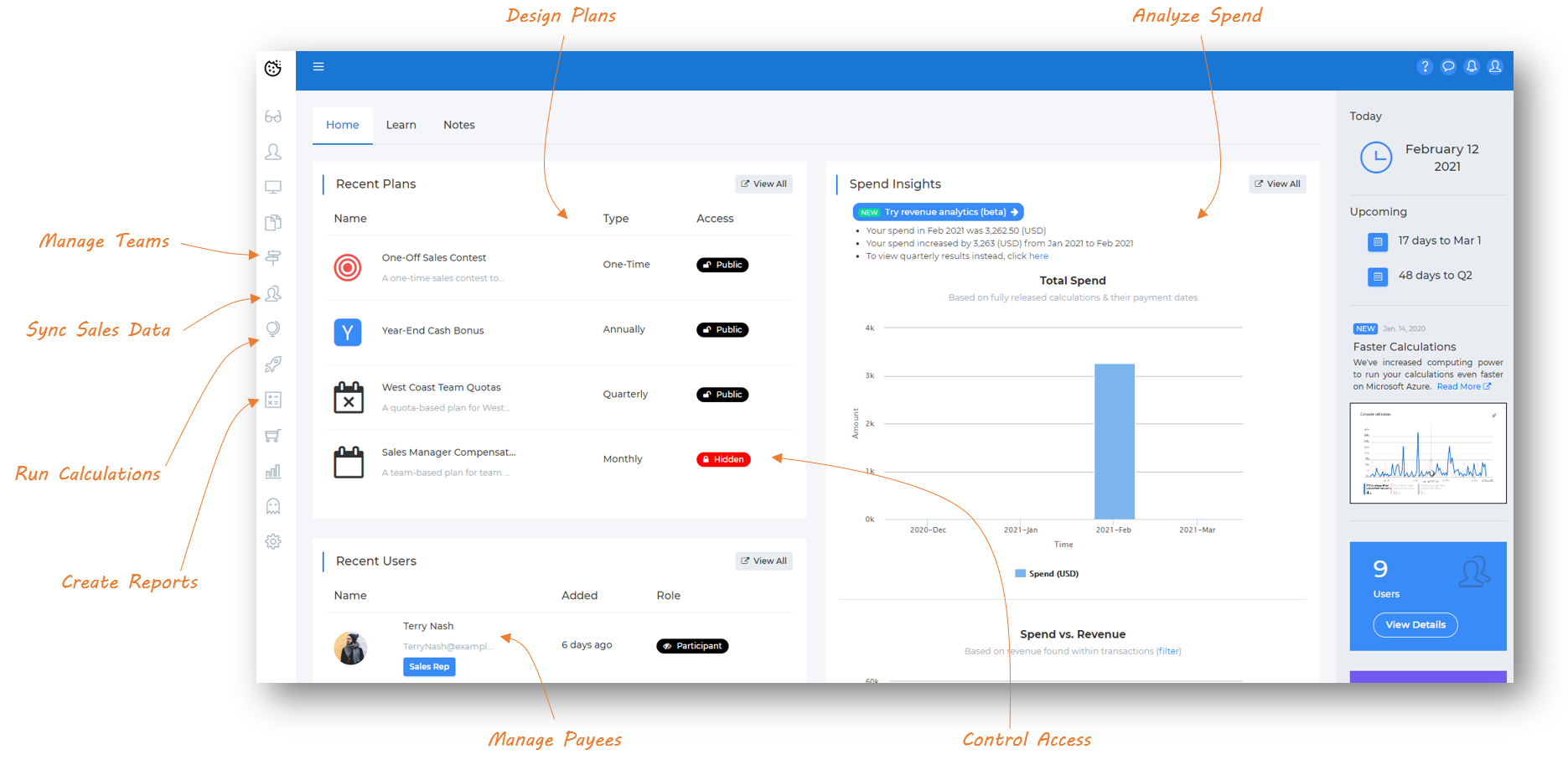
Ready to become your sales team's hero? Sales Cookie is a powerful sales commission management solution for SMBs. Our cloud-based solution makes it easy to design and manage sales incentive plans - even very complex ones. Every sales representative gets a personalized dashboard with their goals, crediting, and rewards. All calculations are fast and accurate so you can pay reps on time. Here is what the admin console and rep dashboards look like.

|

|

|

What Syncs From Google Sheets
There's no fixed entity list. Publish a Google Sheet with whatever columns make sense for your team, and Sales Cookie reads every row in as a transaction you can use for commission calculations. That means it works equally well for a wide range of setups, for example:
A Simple Deals List
- Rep, deal amount, close date
- Any extra columns you track
A Manual Bonus Tracker
- One-off spiffs and bonuses
- Manager-entered adjustments
Any Other Export
- Renewals, activations, or usage data
- Whatever columns your team already maintains